TLDR; This update introduces new features like Manual Threat Simulation assignments and improvements on several views, like the Assignments Queue and Boardroom Reports, and CSV Users Upload.
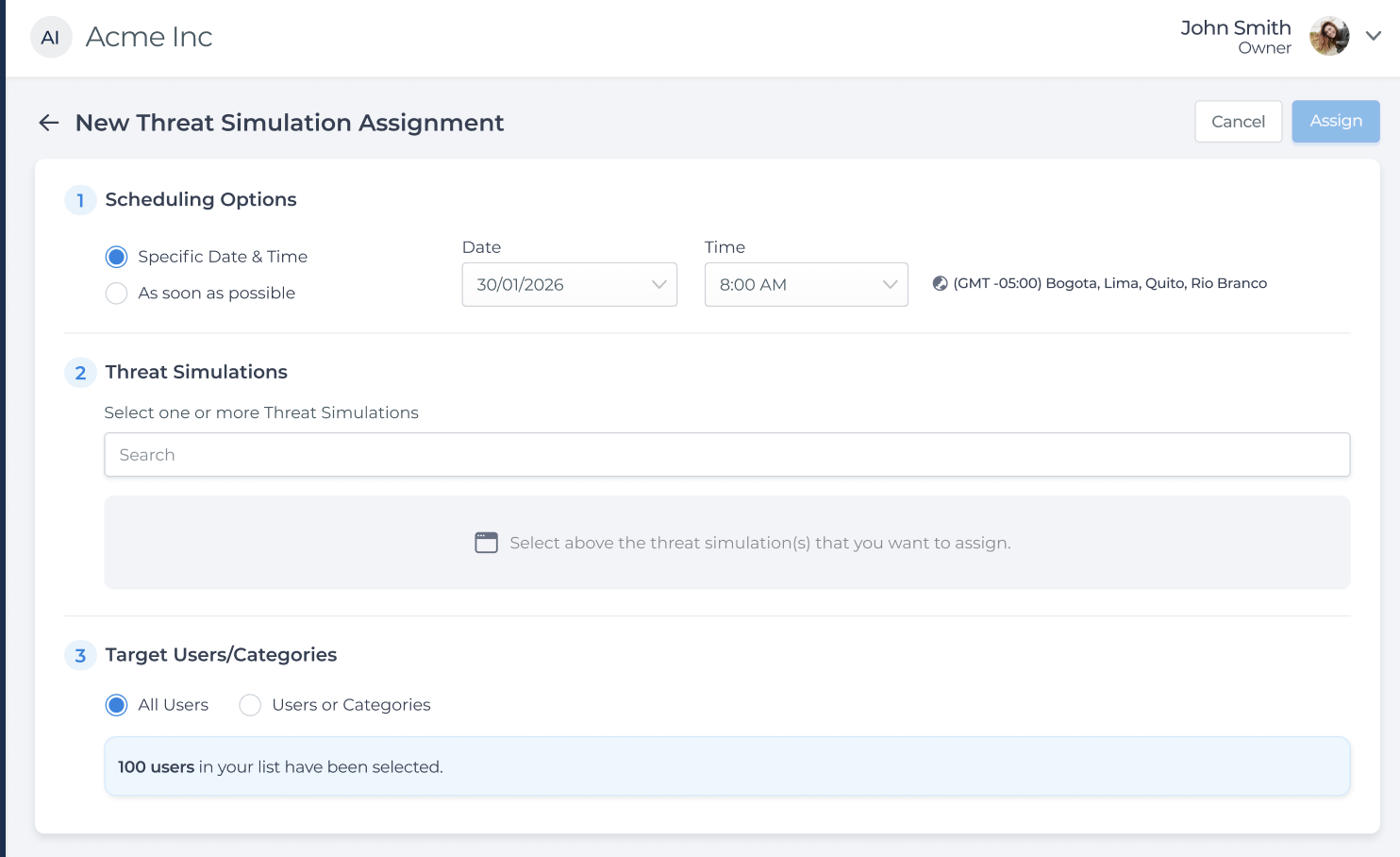
✨ Manual Threat Simulation Assignments
Admins now have greater flexibility to manage and deliver Threat Simulations outside of the program's schedule, with a streamlined manual assignment workflow available across the platform.
Admins can now manually assign Threat Simulations from both the Company Portal and the Command Center.
Supports Company Owners, MSP, and vCISO admins for greater flexibility across organizations.
Assignments can be delivered immediately (ASAP) or scheduled, with proper timezone validation.
All assignments created through this flow are categorized as Manual for better visibility, tracking, and filtering.
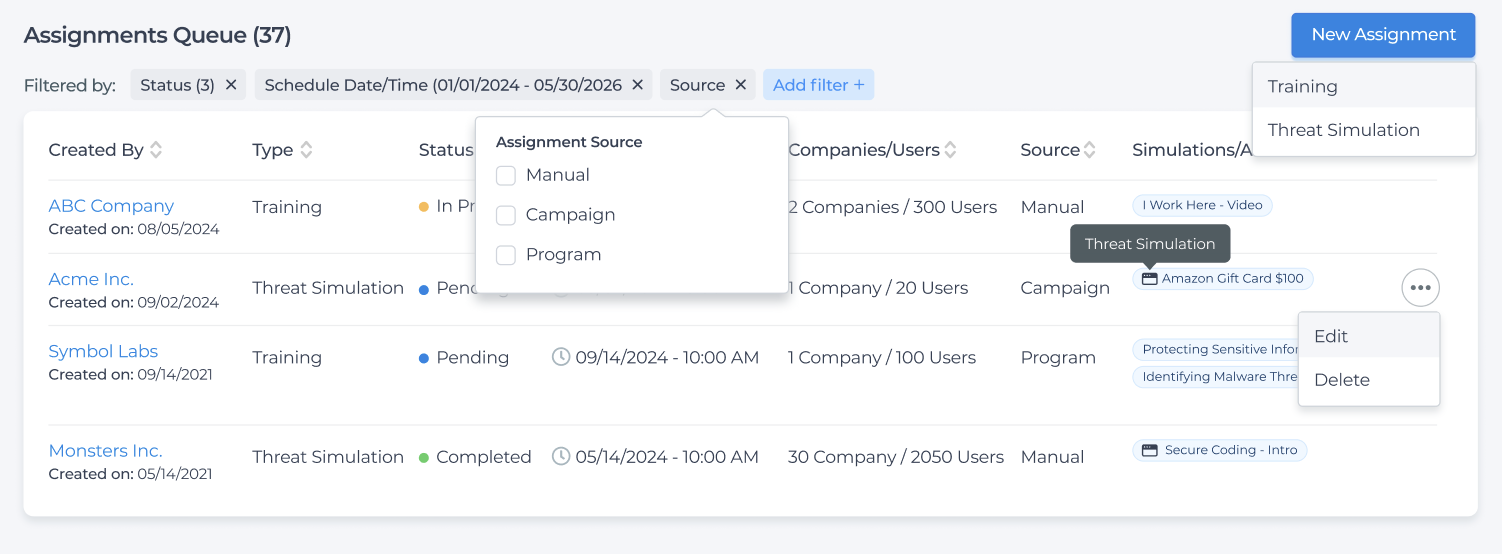
The Assignments Queue has been updated to provide a unified view of Training and Threat Simulation assignments across both portals.
Added new columns: Source and Type.
Improved filtering with the new Inline Filter component (Source, Type, and assets/templates).
Now displays both Training and Threat Simulations.
Available in both the Command Center and Company Portal.Assignments Queue
✨ CSV Users Import Improvements v1
The first version of improvements to the CSV Users Import flow introduces a more structured and reliable experience, focusing on data validation and better control over how user data is processed.
Introduces a standardized CSV template to ensure proper data formatting.
Adds pre-flight validation to detect missing fields and formatting issues before import.
Provides a clear error summary so admins can fix issues offline before proceeding.
Allows admins to choose between adding new users only or updating/replacing the roster.
📌 Note: The next version will include features like Online Editing and Row Removal.
Other Improvements
We've updated the Introduction paragraph for the Boardroom Reports.