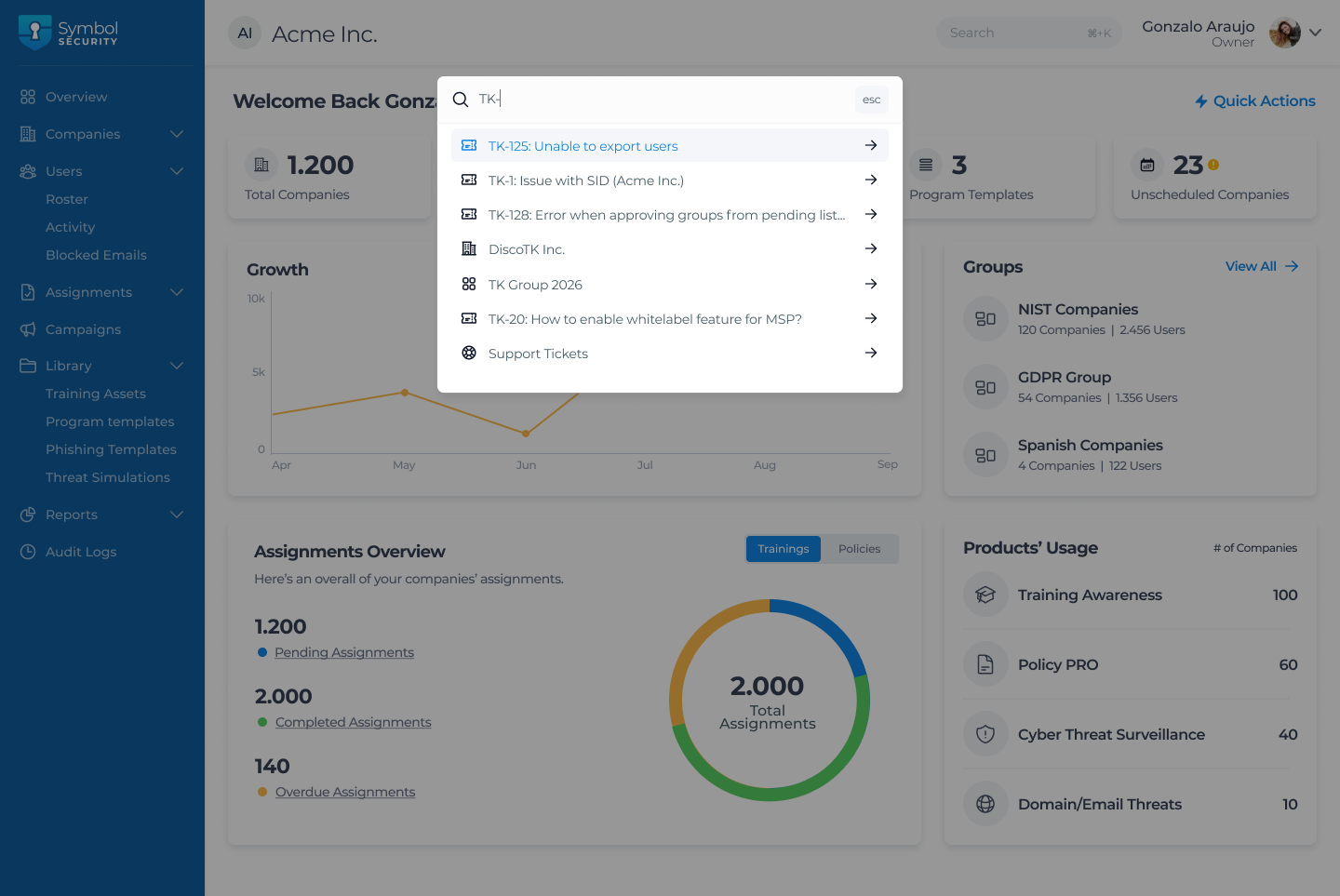
We are excited to announce that we have supercharged our Global Search capabilities!
MSP Admins can now search for and locate specific tickets directly from anywhere within the platform. There is no longer any need to interrupt your workflow or navigate away to a dedicated ticketing section. Whether you are looking up a ticket ID, a keyword in a subject line, or a specific request, you can find it instantly from your current screen.Global Search
🚀 What’s New?
Zero-friction Navigation: Access support requests instantly, no matter where you are in the platform.
Unified Search Experience: Tickets are now seamlessly integrated alongside your existing global search results.
Boosted Efficiency: Cut down on clicks, save valuable time, and resolve client issues even faster.
This update is designed to make managing support requests faster, more convenient, and completely seamless for busy MSP Admins.
Note: To access the Global Search, simply click into search bar at the top of your screen or press cmd+K or ctrl+K (depending on your operating system), type in a ticket number or keyword, and watch the relevant tickets appear in the dropdown results instantly!